From inbox to spreadsheet — automatically.
DocFlow AI handles the full extraction pipeline so you don't have to touch a single cell manually.
The complete pipeline
Your Inbox
Email / Telegram
AI Engine
Extract + validate
Google Sheet
Structured data
Your Review
Flagged rows only
Forward your PDFs — that's it.
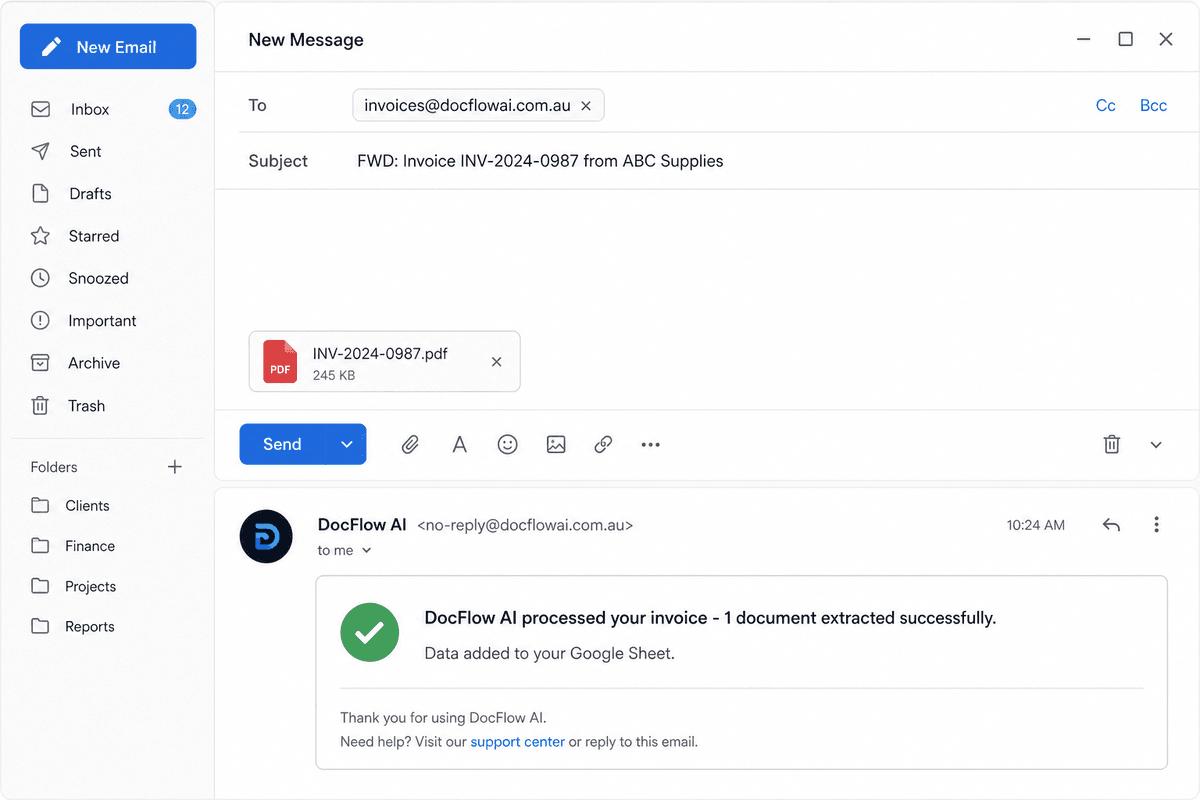
Send invoice PDFs to your dedicated DocFlow AI email address or Telegram bot. From any device — phone, desktop, or accounting software.
Forward or attach
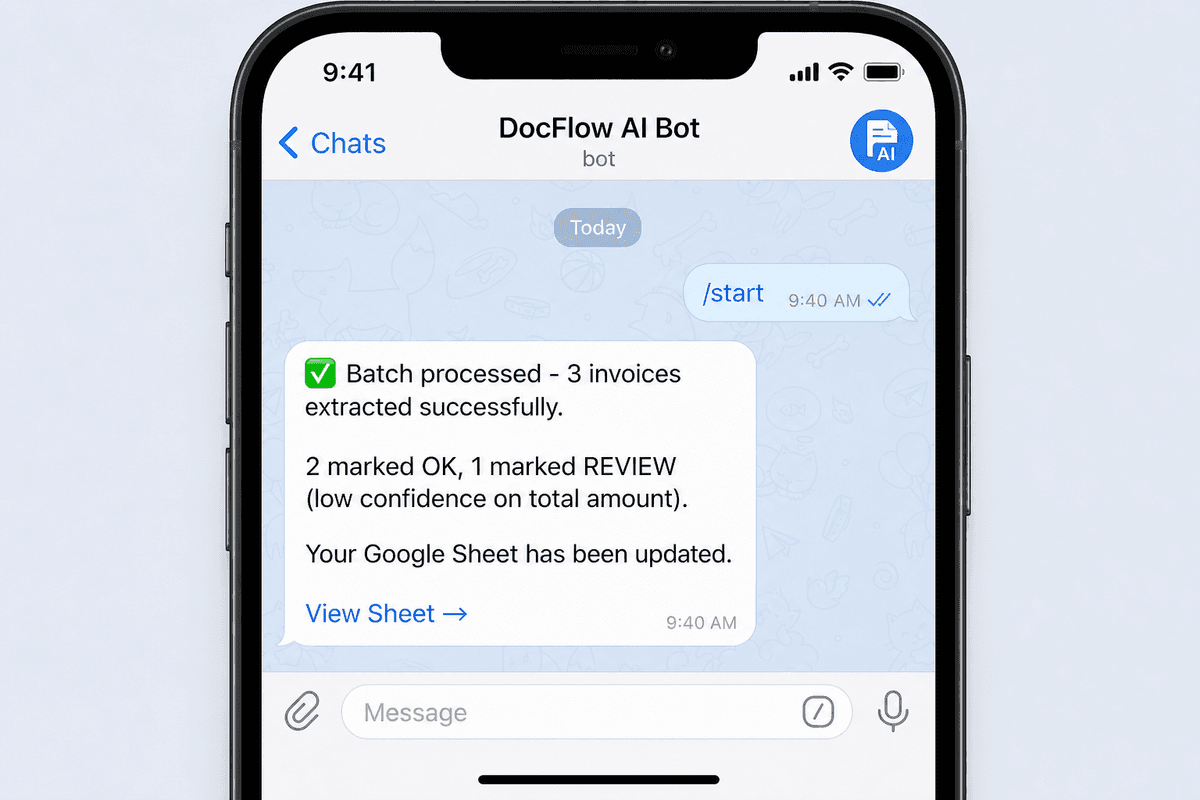
Telegram
Send to bot
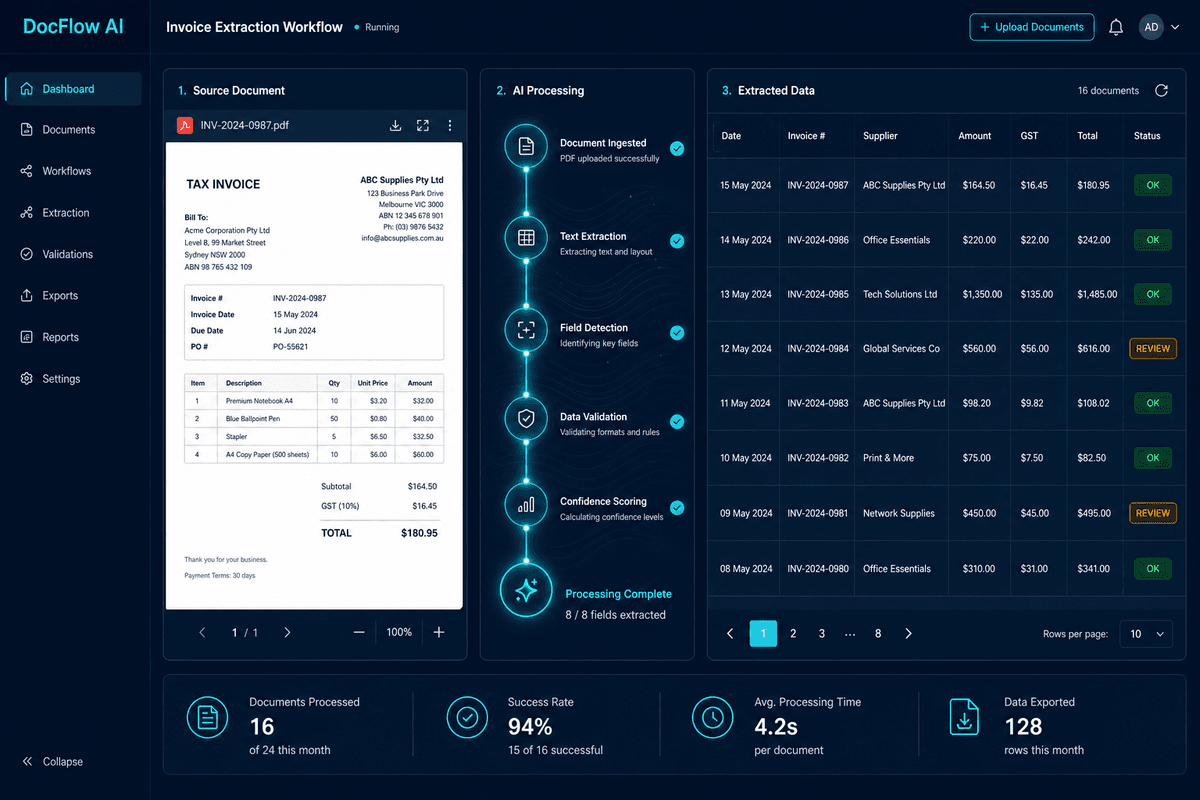
AI reads every field precisely.
Our AI engine reads the document — text-layer PDFs or fully scanned images — and extracts all the fields you need. Anything below confidence threshold is flagged for your 30-second review.
Fields we extract:
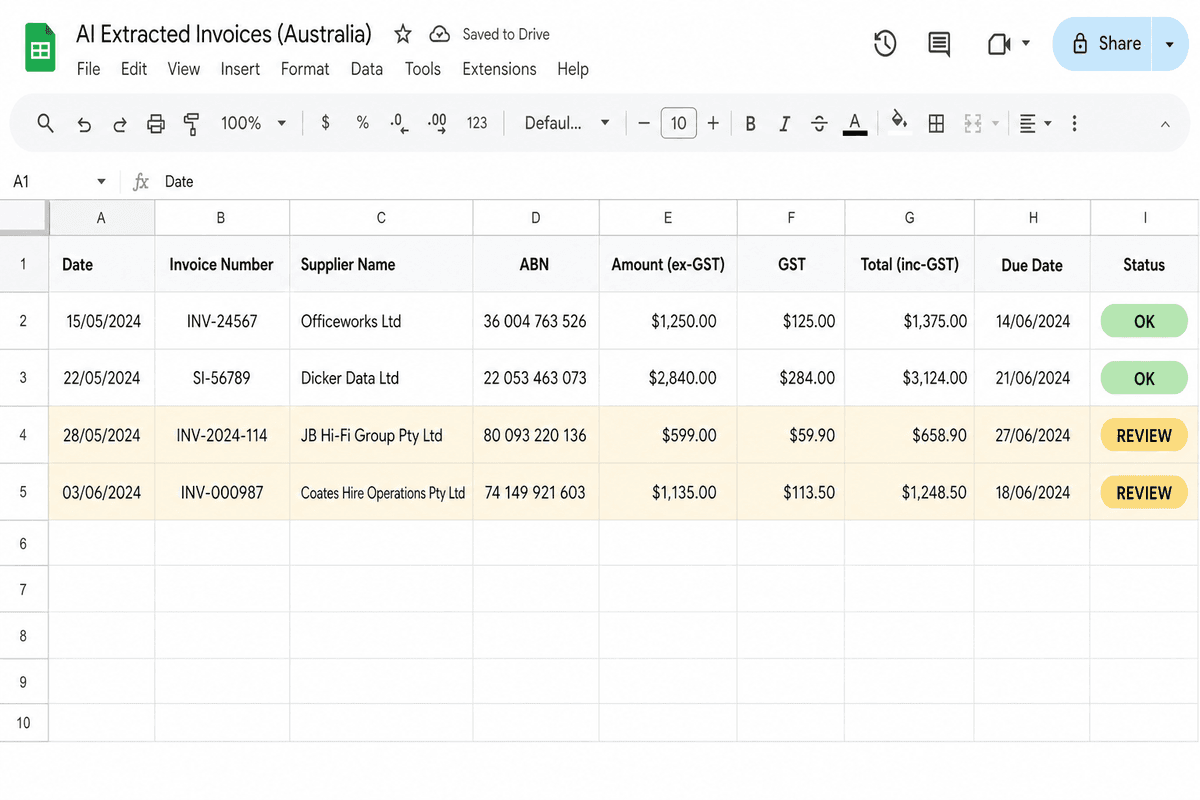
Data in your sheet, Xero-ready.
Extracted data populates your Google Sheet using columns formatted for Xero or MYOB import. Each row has a status: “OK” (confident extraction) or “REVIEW” (needs a quick look). You get a Telegram notification when the batch is done.
Your 30-second quality check.
We flag anything below our confidence threshold — a blurry scan, an unusual format, a partially cut-off field. You review only what needs attention. Everything else is already done.
This human-in-the-loop approach means no silent errors reach your accounting software. You stay in control without staying in the data.
Works for every workflow
The same AI, adapted to how you work.
Security & privacy
Data lands in your Google Sheet under your own account — we never retain it
Processing only — PDF content is used for extraction and immediately discarded
Sender allowlist: only authorised email addresses can trigger extraction
Data processing addendum available on request for compliance needs
Ready to see it with your own invoices?.
Book a free 10-minute call. We'll test DocFlow AI against your real PDFs during the trial.